Date:
Jul 28, 2026
Category:
Product updates
How to Find Ecommerce Brands for Your Agency

Running an agency means your growth is only as fast as your pipeline. And the honest truth is most agencies aren't short on skill, they're short on a steady stream of the right brands to pitch. You can have the best case studies in the world, but if you're pitching the wrong stores, none of it matters.
So this guide is about exactly that: finding ecommerce brands that actually fit your agency's ideal client - fast, repeatable, and without burning your week on manual research.
Why This Matters More for Agencies
Freelancers and solo founders can afford to pick leads slowly. Agencies can't. You've got retainers to fill, a team to keep busy, and a pipeline that needs to stay full month after month. That means your lead-finding process needs to be systematic, not something you scramble to do every time a client churns.
Method 1: Use dtcfinder.com
This is the fastest way to build a qualified list of ecommerce brands your agency can actually pitch. dtcfinder.com gives you direct access to a database of 14 million+ ecommerce stores, and the filtering goes far deeper than just "platform and country" — which is what makes it genuinely useful for agency prospecting.
Here's how to actually use it:
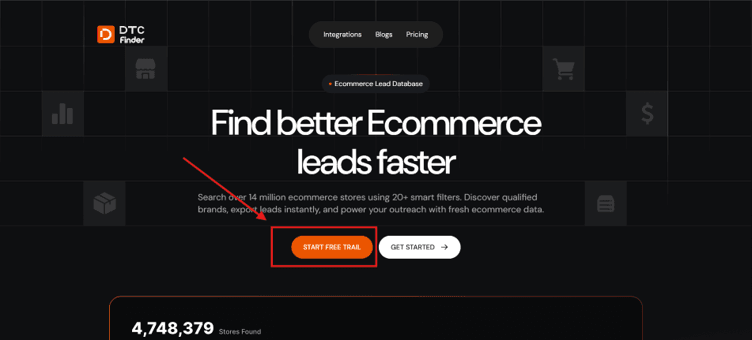
Step 1: Start your free trial at dtcfinder.com and log in.
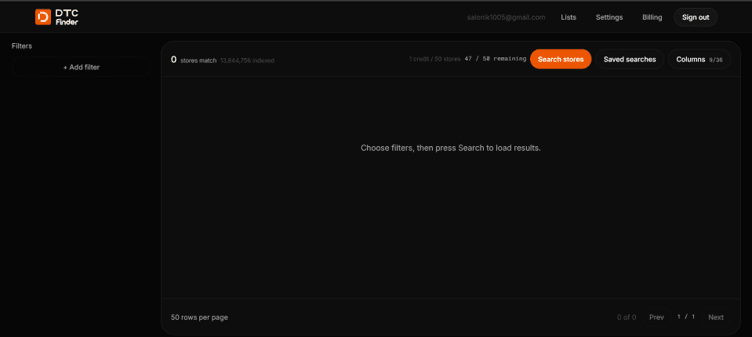
Step 2: Open the search dashboard. Before you even filter anything, you'll see the full database size - over 13.8 million matching stores.
Step 3: Start narrowing with the basics: Category/Industry, Platform (Shopify, WooCommerce, BigCommerce, etc.), and Country.
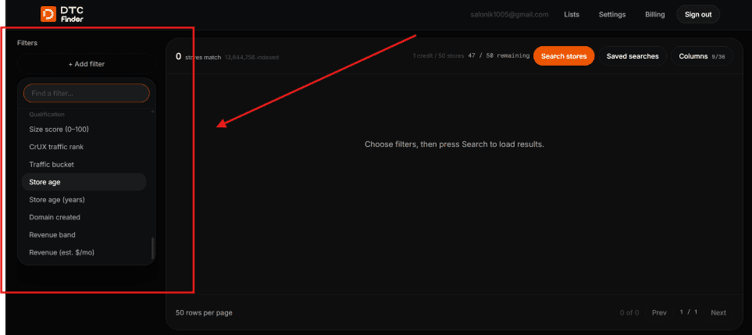
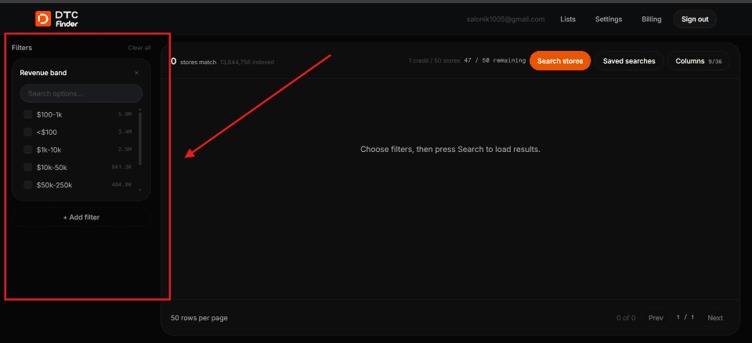
Step 4: Now layer in the filters that actually separate a good lead from a wasted one:
Qualification filters — revenue band, size score (0–100), traffic bucket, and store age. This is how you find brands with a real budget instead of guessing.
Tech & apps filters — installed apps, premium app count, and estimated app spend per month. A brand paying for five premium apps is a brand already spending on tools like yours.
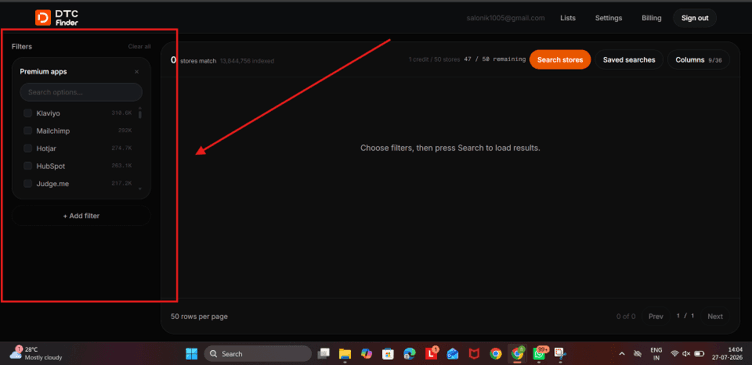
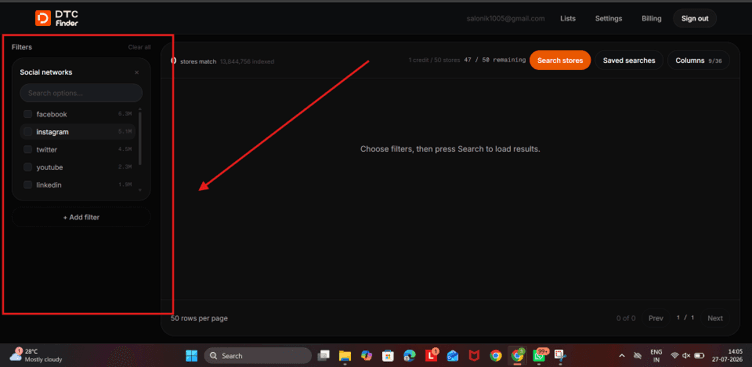
Contact & social filters — filter for stores that have an email or phone listed, so you're not building a list you can't actually reach.
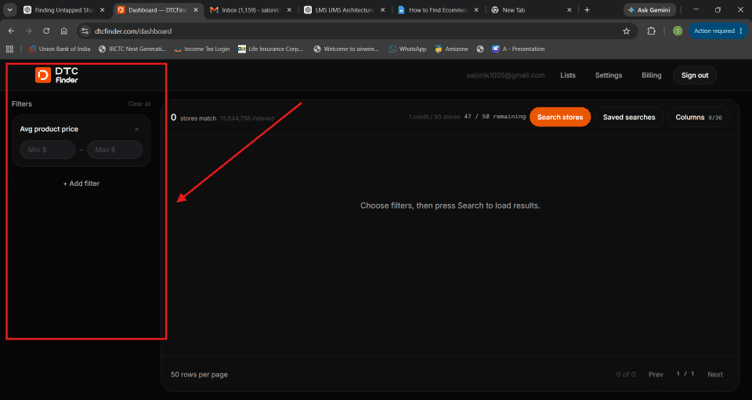
Catalog filters — average product price, review count, and number of distinct brands, useful for spotting stores at the right size and maturity for your services.
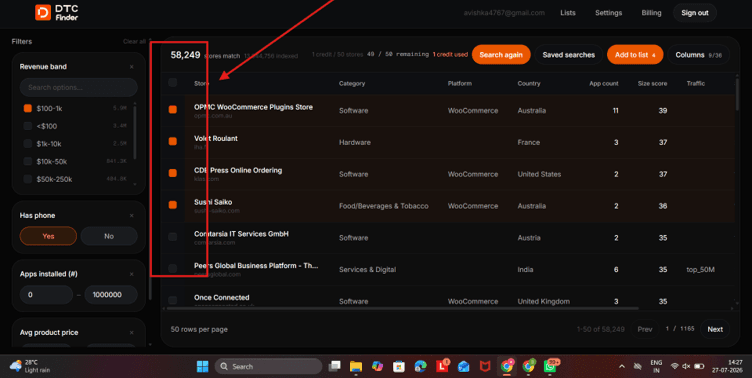
Step 5: Review your matches in the results table - Store, Category, Platform, Country, and App count show by default, but you can expand to any of the 36 available columns for deeper data.
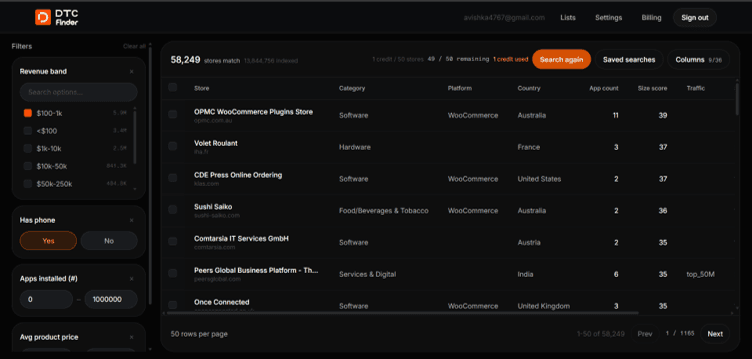
_Review the filtered results and expand the available columns to access additional store insights._
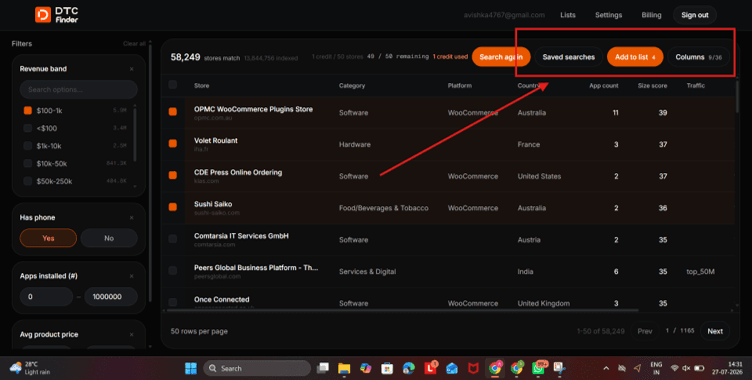
Step 6: Select the stores that fit your ideal client profile and add them to a saved list.
_Select the most relevant stores and add them to a saved list for future outreach._
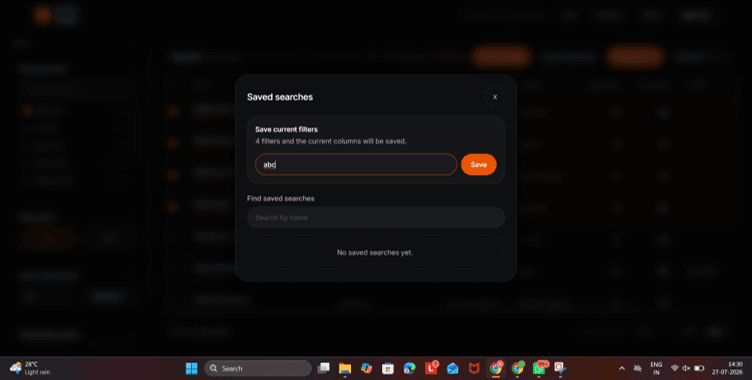
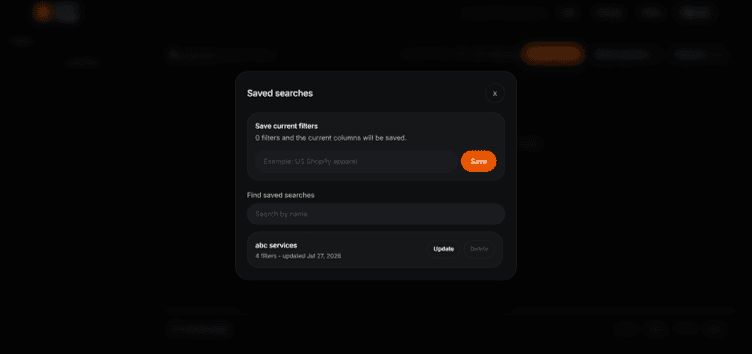
Step 7: Save your filter combination under a clear name (e.g. "US Shopify Apparel, $100K+") so you don't have to rebuild it next time you're prospecting.
_Save your filter combination to quickly reuse it for future prospecting._
Step 8: Export your list and hand it straight to your outreach team.
Instead of manually guessing which brands might have a budget, you're filtering directly by revenue, app spend, and traffic - the exact signals that separate a real prospect from a cold, empty lead.
_Export your qualified lead list and start your outreach campaign immediately._
Method 2: Google Search Operators
Google is still one of the fastest free ways to spot brands in a specific niche, if you know how to phrase the search. A few combinations worth trying:
- inurl:myshopify.com "your niche" surfaces stores still using their default myshopify.com subdomain - usually smaller or newer brands
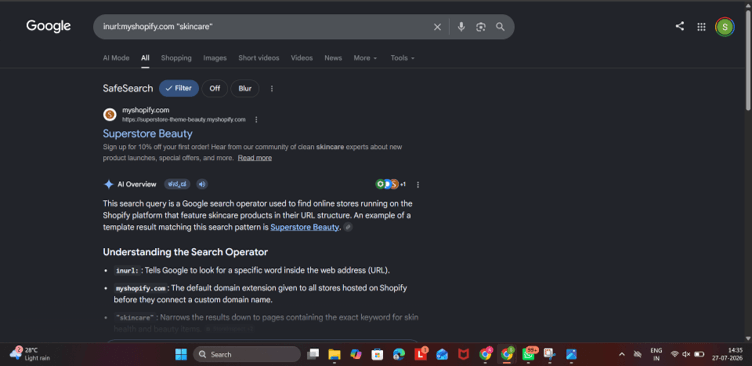
_Use the inurl:myshopify.com search operator to discover Shopify stores that still use their default MyShopify domain._
- "powered by shopify" "your niche" catches stores that haven't removed the platform's footer credit
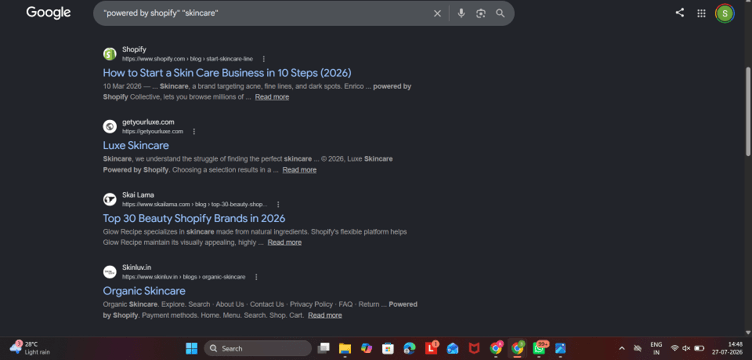
_Search for stores that still display Shopify's default footer to discover smaller or newer ecommerce brands._
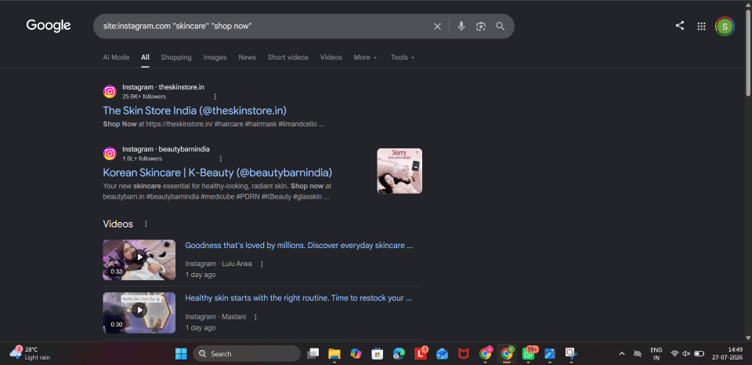
- site:instagram.com "your niche" "shop now" can surface brand Instagram pages linking directly to their store
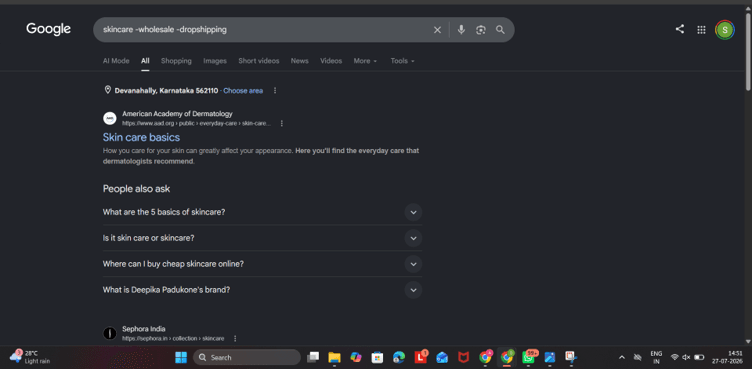
- Adding a minus operator like -wholesale or -dropshipping filters out supplier listings and directories that aren't actual brands
This method costs nothing but time, and works best as a quick way to spot-check a niche before committing to deeper research.
Method 3: Technology Detection Tools
Tools like BuiltWith and Wappalyzer scan any website and tell you its entire tech stack - ecommerce platform, installed apps, analytics tools, and even payment providers. For an agency, this is useful in two ways: confirming a prospect is actually running the platform you specialize in, and seeing what tools they're already paying for, which tells you a lot about their budget and sophistication before you ever reach out.
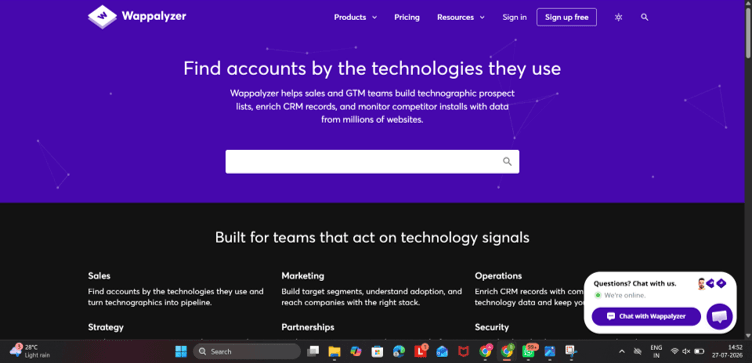
_Analyze a store's technology stack to verify its ecommerce platform and understand the tools it already uses._
Method 4: Instagram and TikTok Hashtag Research
Search niche-specific hashtags (like #sustainablefashion or #skincarebrand) and look through the posts and profiles that show up. Most brands include a direct link to their store in their bio. This method is slower than a database search since you're going profile by profile, but it's particularly good for finding smaller, design-forward brands that haven't scaled their marketing yet - often the easiest ones to convert into clients since they're still building their team of vendors.
_Search niche hashtags to discover growing ecommerce brands and visit their websites directly from their profile bio._
Method 5: LinkedIn Search and Outreach
LinkedIn lets you search for job titles like "Founder," "Head of Marketing," or "Ecommerce Manager" at brands in your target niche. You can also search for "hiring [role]" posts, which often signal a company is scaling and may need outside help in the meantime. Reaching a decision-maker directly on LinkedIn tends to get a warmer response than a cold email sent to a generic inbox.
_Use LinkedIn to identify founders and ecommerce decision-makers for more targeted outreach._
Method 6: Meta Ad Library
The Meta Ad Library is completely free and shows every active ad running on Facebook and Instagram. Search a niche keyword and you'll see exactly which brands are currently spending money on ads. This matters for agencies specifically because ad spend is one of the clearest signals of budget - a brand that's been running the same ad for several months almost certainly has money to spend on the service you're offering, whether that's creative, media buying, or CRO.
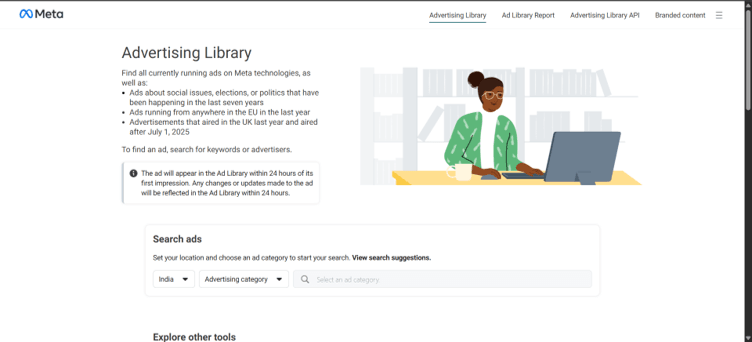
_Use Meta Ad Library to identify ecommerce brands actively investing in advertising and likely to have marketing budgets._
Method 7: Niche Facebook and Slack Communities
Communities built around a specific vertical - skincare founders, apparel brands, subscription box sellers - tend to be far more useful than general "ecommerce" groups. Brand owners in these spaces often talk openly about specific challenges (shipping costs, low conversion rates, ad fatigue), which gives you real insight into what they might actually need before you even reach out.
Method 8: Referrals From Existing Clients
This is the one agencies skip most often simply because it doesn't feel like "research." But a short, direct ask to your current clients - "do you know anyone else in your space who might need this?" - routinely outperforms every tool on this list. Warm referrals arrive pre-qualified and already trust you by association.
Method 9: Industry Events and Trade Shows
Ecommerce and DTC-focused conferences, trade shows, and local meetups put founders in the same room as you. It takes more time than a database search, but face-to-face conversations tend to build stronger, faster trust than any cold outreach sequence - and you often walk away with several warm leads from a single event.
Method 10: Competitor and Case Study Research
Look at which brands your competitors publicly work with - agency case studies, client logos on their homepage, and testimonials are usually public information. From there, search for similar brands in the same niche or price range that haven't been claimed yet. This is a fast way to find brands who've already shown they're willing to pay for the kind of service you offer.
Building a Pitch That Actually Lands
- Finding the brand is half the job: A few things that make the other half easier:
- Lead with a specific insight, not a generic capabilities deck
- Reference their actual site or ads : show you did the homework
- Keep the first message short : agencies over-explain more than any other pitch type
- Follow up with something new, not just "just checking in"
Conclusion
For an agency, finding ecommerce brands isn't a one-time task - it's a pipeline you need to keep filling. Manual methods like search operators, social platforms, and events all work, but they don't scale well when you need a steady flow of qualified leads every week. That's where dtcfinder.com does the heavy lifting: filter by platform, country, revenue, app spend, and traffic, save your search, and export a client-ready list in minutes instead of days.
Author
DTC Finder Team
Ecommerce Data & Growth


Read More Articles






Discover better ecommerce leads
Start your free trial and discover how easy it is to search, save, and export qualified ecommerce leads with DTC Finder.

Get the latest updates from DTC Finder
Product updates, straight to your inbox.